
Peter Pan and Robin Hood Fairy Tale Factory
aka Peter Pan & Robin Hood: Fairy Tale Factory
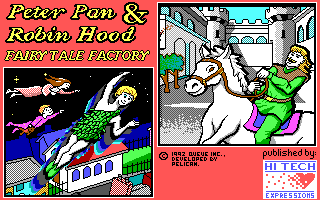
Playing Peter Pan and Robin Hood Fairy Tale Factory quickly reveals that this 1992 release is not a platformer or an adventure game, but a digital art kit designed to let kids pair static clip art with short blocks of text.
Setting up a story in Peter Pan and Robin Hood Fairy Tale Factory
Booting up this educational software drops you straight into a two-part layout consisting of a graphic scene builder and a basic text editor. Developed by Pelican Software and published by Hi-Tech Expressions, Inc., the package ignores standard game loops entirely: there are no health bars, no enemies to fight, no puzzles to solve, and no high scores to chase. Instead, you pick a background picture from the menus, stamp characters onto the canvas, type out speech bubbles or paragraphs beneath the frame, and either save your creation to disk or print it out.
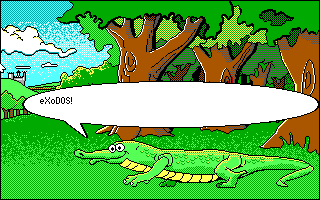
The core interactive element is the screen editor, where sprites are arranged to construct individual story panels. Navigation relies entirely on point-and-select mechanics, making it straightforward for younger players to select a background, pull up a menu of character art, and place figures into the scene. While the editor includes a flip feature to mirror sprites horizontally or vertically, it lacks any option to scale them. This limitation creates severe spatial inconsistencies: placing a small character in the foreground alongside a larger background element often breaks the scene's visual logic, since sprite sizes remain completely fixed.
Why the creative choices in this MS-DOS title run thin fast
The primary flaw lies in the sparse selection of available assets. While combining two distinct literary worlds sounds promising on paper, the asset library is so small that layout possibilities dry up almost immediately. The contemporary review aggregate on Old-Games.RU scored the game a 2 out of 10, while retro site Home of the Underdogs called it a "lackluster offering" specifically because children would exhaust the visual options in a single sitting.
The rigid character art constantly limits how scenes can be staged. Consider these practical constraints when trying to frame a simple narrative scene:
- Characters like Tinker Bell feature only a single graphic facing one direction, forcing you to place her on the left side of the screen every single time if you want her looking toward the center.
- The absence of character scaling means you cannot create depth, so distant figures appear the exact same size as those standing right up front.
- Without alternate poses or facial expressions for the main cast, every custom story ends up reusing identical, static character stances across every page.
Because there are no action beats or automated animations, the program relies entirely on the player's willingness to write text inside the built-in editor. Once you have dropped a couple of unmoving sprites onto a backdrop and added a line of dialogue, you have seen virtually everything the graphics side has to offer.
How Peter Pan and Robin Hood Fairy Tale Factory compares to rival software from 1992
By the time this title launched on PC displays in 1992, the home computer market already had well-established creative suites like The Print Shop or Broderbund's Kid Pix. Those packages succeeded by giving kids open-ended drawing tools, stamp sets, and flexible manipulation features that rewarded experimentation. Pelican's offering feels far more like a rigid electronic stencil kit where you can only place predetermined images in predetermined sizes.
The software is at its best when treated purely as a nostalgic digital artifact of early 90s edutainment software. If you go in expecting a true video game with mechanics to master, you will be disappointed within five minutes. But as a window into how early software publishers attempted to turn literary properties into interactive productivity tools for children, it has a distinct, albeit extremely simple, appeal.
Play Peter Pan and Robin Hood Fairy Tale Factory online right now
You can play Peter Pan and Robin Hood Fairy Tale Factory online, free, right here in your browser, with nothing to install and no setup. When you load up the Peter Pan and Robin Hood Fairy Tale Factory MS-DOS game, head straight into the scene editor, select a background, and try mirroring a character sprite horizontally to see how the limited asset manipulation works on your very first screen.